
SCP: Secret Laboratory Server Verification
Last updated:
 Create your SCP: Secret Laboratory server today!
Contents
To verify your SCP: Secret Laboratory server, follow these steps. This process links your server to your account, which is required for it to appear on the official in-game server list.1\\
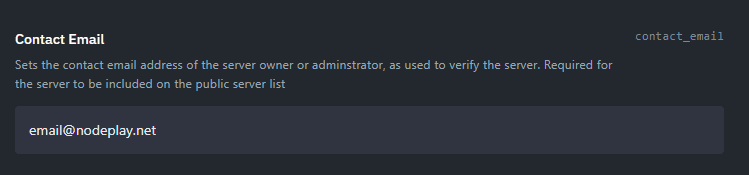
Set Your contact_email
Before you begin, make sure your server's configuration has your real email address set in the contact_email variable. This is crucial for communication and for confirming ownership of the server.
Agree to the EULA
When you start the server, the console will ask you to agree to the End-User License Agreement (EULA). Type yes to proceed.
Configure Your Server
You can either leave the default server settings or change them as you wish. This won't affect the verification process.
Send the Verification Command
In your server's console, enter the command: !verify static
To complete this step successfully, you must have a dedicated IP address for your server. This command initiates the verification process by sending a request to the central SCP: Secret Laboratory server.
Wait for Confirmation
The verification process can take up to an hour, but it usually finishes within 5 minutes. Once it's successful, you'll see a message in the server console similar to this:
[2025-09-12 22:30:55.558 +03:00] [MESSAGE FROM CENTRAL SERVER] --------------------------------------------------------------------
[2025-09-12 22:30:55.567 +03:00] [MESSAGE FROM CENTRAL SERVER] This server has been successfully registered to an existing account.
[2025-09-12 22:30:55.578 +03:00] [MESSAGE FROM CENTRAL SERVER] --------------------------------------------------------------------
[2025-09-12 22:30:55.588 +03:00] [MESSAGE FROM CENTRAL SERVER] Account ID:        11111
[2025-09-12 22:30:55.599 +03:00] [MESSAGE FROM CENTRAL SERVER] New Server ID:     22222
[2025-09-12 22:30:55.609 +03:00] [MESSAGE FROM CENTRAL SERVER] Created At:        2025-09-12 19:30:55
[2025-09-12 22:30:55.620 +03:00] [MESSAGE FROM CENTRAL SERVER] --------------------------------------------------------------------
This message will provide you with an Account ID and New Server ID, confirming the successful registration.
Agree to the Community Server Guidelines
After receiving confirmation, a link will appear in the console. You must click this link and agree to the Community Server Guidelines. You will also need to provide a working email address to receive a verification code. This final step completes the verification process and makes your server visible to other players.
Add Your Server to the Public List
To make your server appear in the public server list, you need to create an information page on Pastebin.com.
Go to Pastebin and create a new paste containing information about your server.
After saving, copy the ID from your browser's address bar. For example, if the URL is
https://pastebin.com/abcdefgh, your ID isabcdefgh.Add this ID to the
serverinfo_pastebin_idvariable in your server's configuration.
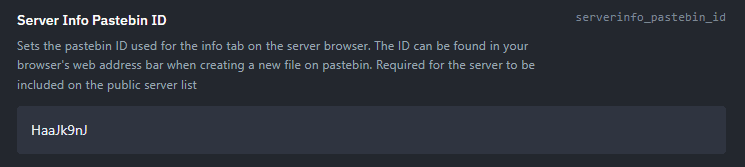
This variable is used to display your server's information in the server browser. Filling it out is a mandatory requirement for your server to be included in the public list.